

Legal departments are under constant pressure to deliver more work without increasing headcount (which is where legal document automation workflows step in!).
Contracts, non-disclosure agreements (NDAs), compliance documents, internal agreements, and other routine legal paperwork continue to pile up. And yet, too many teams still rely on manual drafting processes built around email chains, static templates, and scattered document versions.
The result is familiar: slower turnaround times, inconsistent language, and unnecessary operational risk.
A legal document automation workflow helps solve this problem by turning document creation into a structured, repeatable process. Instead of drafting every document manually, legal teams can standardize how documents are requested, generated, reviewed, and finalized — all while maintaining governance and legal oversight.
Let’s dive into how requests are captured, documents are generated, and approvals are managed (rather than focusing on specific software solutions).
By reducing repetitive drafting work, legal professionals can spend more time on negotiation, legal analysis, and risk management rather than routine document preparation.
In this Article:
- What is a legal document automation workflow?
- Legal document automation workflow vs. document automation software
- Common challenges in designing document automation workflows
- Legal document automation workflow vs. manual drafting
- How document automation fits into the legal technology stack
- Best documents to automate first
- FAQs
What is a legal document automation workflow?
A legal document automation workflow is a structured process that automates how legal documents are requested, generated, reviewed, approved, and managed using approved templates and predefined business rules.
Instead of starting each document from scratch, legal teams generate documents from standardized templates that adapt based on user inputs, business rules, and workflow logic. Modern legal teams typically combine structured processes with enabling technologies to support document creation at scale.
A typical legal document automation workflow includes:
- Structured request forms to collect document details
- Automated document generation using approved templates
- Logic that inserts the correct clauses and language
- Automated routing for legal review and approvals
- Visibility into status, versions, and downstream records
Legal document automation workflow vs. document automation software
A legal document automation workflow describes the process of how documents move through a legal team, from request intake to generation, review, and approval.
Legal document automation software refers to the tools used to enable that process.
Understanding the distinction is important:
- Workflows define how work should move
- Software helps execute that workflow efficiently
- Strong outcomes depend on both process design and technology
Let’s dive into the workflow itself; how legal teams structure document creation to improve speed, consistency, and control.
Why legal teams are implementing document automation workflows
Corporate legal teams often manage high volumes of routine document requests from across the business. Sales, procurement, HR, compliance, and operations teams all depend on legal to generate or review documents quickly.
Manual drafting creates avoidable bottlenecks. On the other hand, an automated workflow helps address several common operational challenges.
Eliminate repetitive drafting
Many legal documents follow predictable structures. NDAs, vendor agreements, employment documents, and internal policies often use similar language each time they are created.
Document workflows reduce time spent on repetitive drafting by standardizing how documents are created from the start.
Improve consistency and control
Manual drafting introduces risk. Teams may rely on outdated templates, omit required provisions, or introduce inconsistent language across documents.
Structured workflows improve consistency by ensuring documents are generated from:
- Current templates
- Approved legal language
- Standardized formatting
- Required provisions based on defined rules
Accelerate business requests
Many document requests begin as emails or messages that arrive without enough detail to begin drafting. Workflow-based intake replaces informal requests with structured forms, helping legal teams:
- Capture required information upfront
- Reduce back-and-forth communication
- Prioritize work more effectively
- Improve visibility across incoming demand
Explore the Real ROI of Legal Document Automation
Get the GuideCommon challenges in designing document creation workflows
While document automation workflows improve efficiency, many legal teams encounter challenges when implementing them.
Common issues include:
- Fragmented intake processes
- Inconsistent or outdated templates
- Unclear approval steps or ownership
- Limited visibility into document status
- Difficulty balancing speed with legal oversight
Addressing these challenges requires more than technology. It often involves defining clearer processes, standardizing inputs, and aligning stakeholders across legal and business teams.
What a modern legal document automation workflow looks like
Most legal document automation workflows follow the same core stages.
1. Request intake
A business user submits a request through a structured intake form instead of sending an email. The form captures key details such as:
- Type of agreement
- Parties involved
- Jurisdiction
- Business owner
- Contract value
- Effective date
2. Data collection and validation
The system validates whether required fields are complete before document generation begins. This helps reduce incomplete requests and improves drafting accuracy.
3. Automated document generation
Documents are generated using pre-approved templates that adapt based on inputs and business logic. Instead of copying language from previous documents, legal teams can produce consistent first drafts faster and with fewer errors.
4. Legal review and approvals
Workflow rules route documents to the appropriate stakeholders based on risk, value, or document type.
This may include:
- Legal review for nonstandard terms
- Procurement approval
- Business owner confirmation
- Executive sign-off
5. Document tracking and visibility
Once approved, documents become part of the broader legal operations environment. Workflows provide visibility into:
- Document status
- Version history
- Approval tracking
- Related legal activity
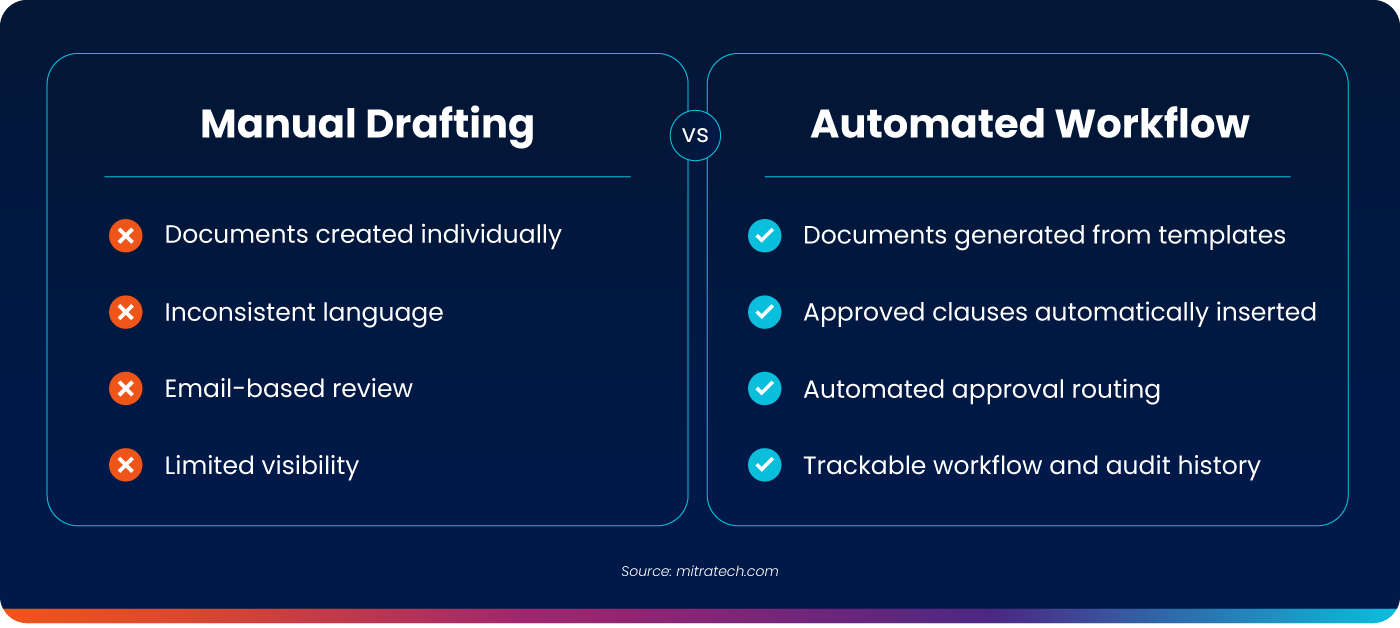
Legal document automation workflow vs. manual drafting
| Manual drafting | Automated workflow |
|---|---|
| Documents created individually | Documents generated from templates |
| Inconsistent language | Standardized clauses and logic |
| Email-based review | Structured routing and approvals |
| Limited visibility | Trackable workflow and status |
| Repetitive admin work | More time for higher-value legal work |
How document automation fits into the legal technology stack
Document automation workflows are most effective when aligned with broader legal operations processes. Organizations often connect workflows with:
- Enterprise Legal Management (ELM) platforms
- Matter management systems
- Contract lifecycle management tools
- Legal intake and workflow systems
These connections help ensure documents are not only generated efficiently but also tracked and governed across the organization.
Best documents to automate first
Organizations typically start with high-volume, repeatable documents such as:
- Non-disclosure agreements (NDAs)
- Master services agreements (MSAs)
- Vendor agreements
- Employment documents
- Compliance forms
- Internal legal request documents
- How legal teams can get started
A legal document automation workflow does not require automating everything at once.Most teams begin by identifying:
- High-volume document types
- Repetitive drafting work
- Intake bottlenecks
- Approval steps that can be standardized
- Existing templates that should be centralized
From there, legal teams can build workflows incrementally to improve speed and consistency while keeping legal review where it matters most.
What Kinds of Documents Can You Automate with Legal Document Automation Workflows?
See Document TypesBuilding a More Scalable Workflow for Legal Teams
Legal work will always require human expertise, but not every part of the process requires manual effort.
A well-designed workflow helps legal teams generate documents faster, improve consistency, reduce administrative work, and maintain stronger control over how documents move through the business.
For legal departments managing growing workloads, structured document workflows are becoming a core part of modern legal operations.
FAQs
How is document automation different from manual drafting?
Manual drafting relies on individual document creation. Automation uses templates and workflows for consistency and efficiency.
Does document automation replace legal review?
No. It removes repetitive drafting work but preserves legal review where needed.
What documents should legal teams automate first?
High-volume, repeatable documents like NDAs, vendor agreements, employment documents, and compliance forms.
What tools are used in a legal document automation workflow?
Most workflows combine document generation, intake, routing, and integration with broader legal systems.

